
Ultimate Student Guide: Laptops & Computers 2025
Comprehensive mega guide to help students choose laptops, desktops, tablets, workstations, and components with detailed specs, prices, images, pros/cons, and optimization tips.
1. Introduction
Students often find it confusing to select the right computer due to complex specs and fluctuating prices. This guide simplifies it all and provides clear recommendations based on usage and budget.
2. Computer & Laptop Basic Components (Students Must Know)
Most students sirf price dekh kar laptop ya PC le lete hain, lekin unko yeh nahi pata hota ke andar konsa component kya kaam karta hai. Is section me har cheez asaan alfaaz me samjhayi gayi hai.
2.1 Processor (CPU) – Computer ka Dimagh
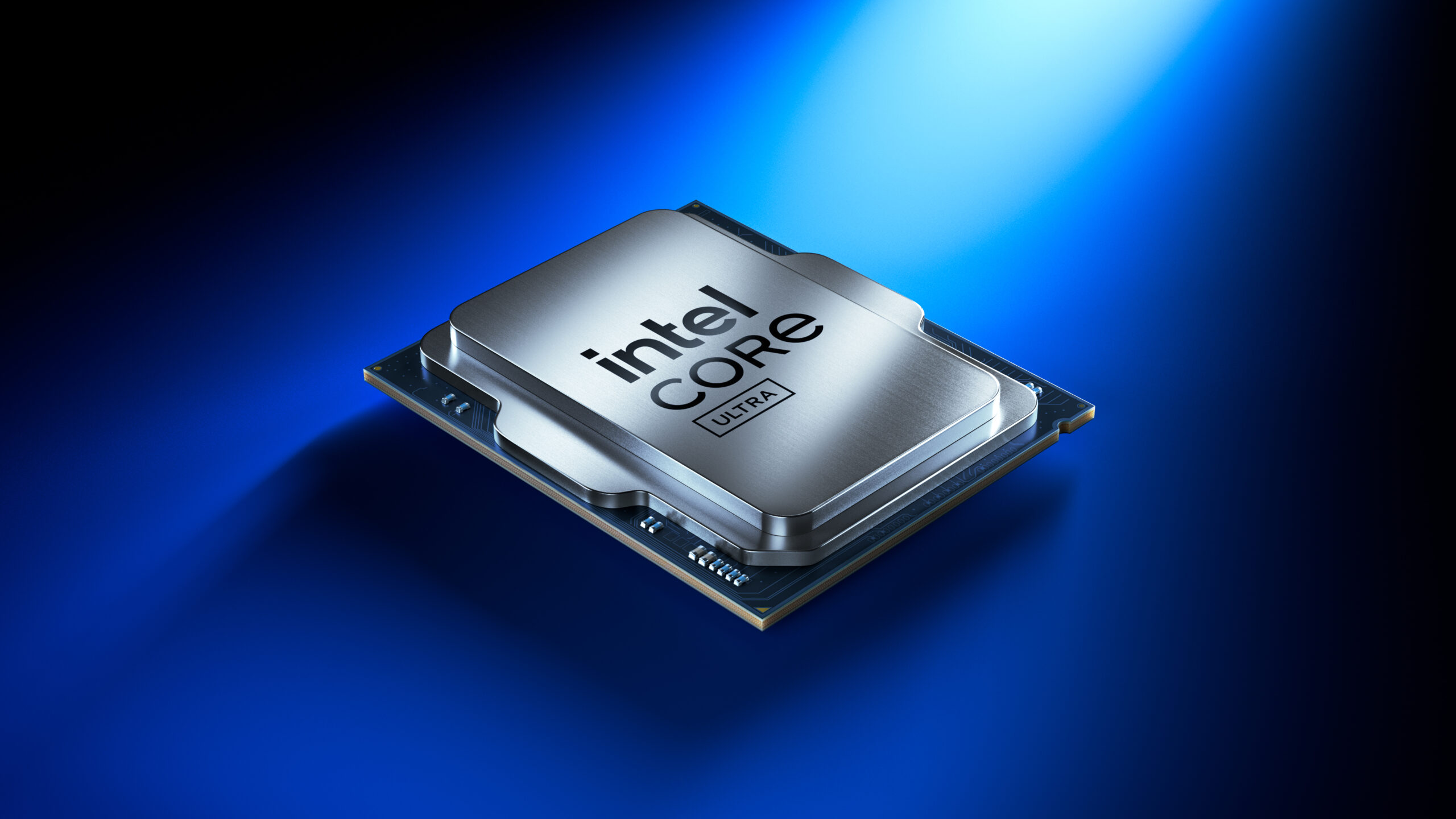
CPU sab se important part hota hai. Agar CPU weak ho, toh mehnga laptop bhi slow lagega.
| CPU Type | Use | Students ke liye? |
|---|---|---|
| Intel i3 / Ryzen 3 | Basic coding, browsing | ✅ Beginners |
| Intel i5 / Ryzen 5 | Programming, multitasking | ✅ Best Choice |
| Intel i7 / Ryzen 7 | Heavy software, ML | ⚠ Advanced |
| Intel i9 / Ryzen 9 | AI, Rendering | ❌ Not for students |
- ❌ Celeron / Pentium se hamesha bachain
- ✔ Minimum: i5 ya Ryzen 5 recommended
2.2 RAM – Multitasking ki Power
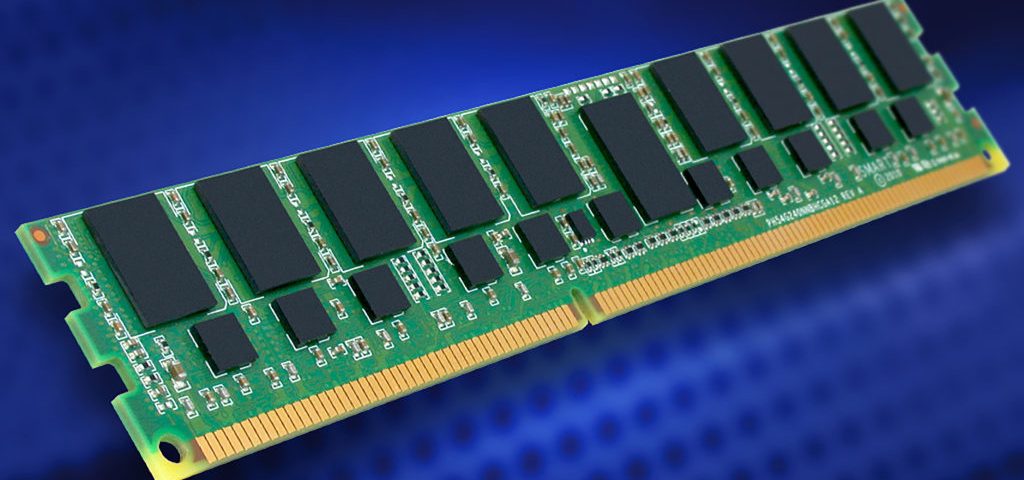
RAM jitni zyada hogi, utna system smooth chalay ga. Chrome tabs, VS Code, browsers — sab RAM khatay hain.
| RAM | Experience |
|---|---|
| 4GB | ❌ Very slow (avoid) |
| 8GB | ⚠ OK for beginners |
| 16GB | ✅ Best for students |
| 32GB | ❌ Overkill |
Tip: Hamesha expandable RAM wala laptop lo.
2.3 Storage – SSD vs HDD
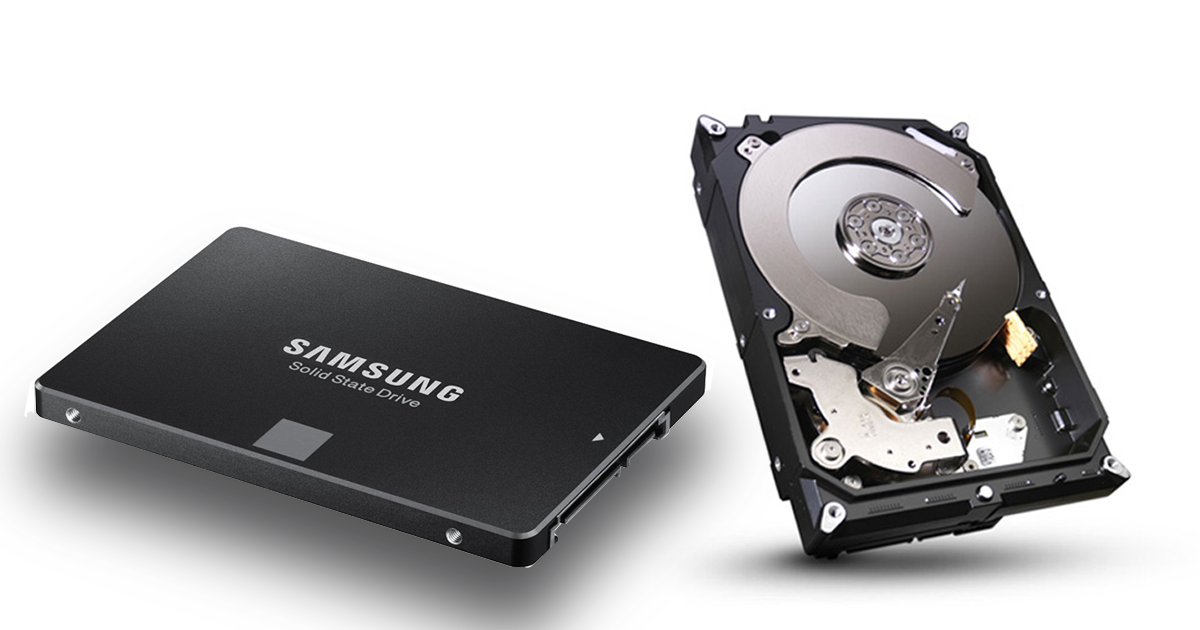
| Type | Speed | Student Advice |
|---|---|---|
| HDD | Slow | ❌ Avoid |
| SATA SSD | Fast | ⚠ OK |
| NVMe SSD | Very Fast | ✅ Best |
- ✔ Minimum 512GB SSD lo
- ✔ HDD sirf storage ke liye
2.4 Graphics Card (GPU)

| GPU | Use | Need? |
|---|---|---|
| Integrated | Normal coding | ✅ Yes |
| GTX / RTX | Gaming, AI | ⚠ Optional |
Programming ke liye dedicated GPU zaroori nahi hota. Sirf ML, AI, gaming walon ke liye hota hai.
2.5 Display – Aankhon ki Hifazat
| Feature | Recommendation |
|---|---|
| Size | 14″ – 15.6″ |
| Resolution | Full HD |
| Panel | IPS |
Cheap laptops ka display aankhon ko damage karta hai, isliye display pe kabhi compromise na karein.
3. Laptops
3.1 Budget Laptops (Student-Friendly)
1. Acer Aspire 5
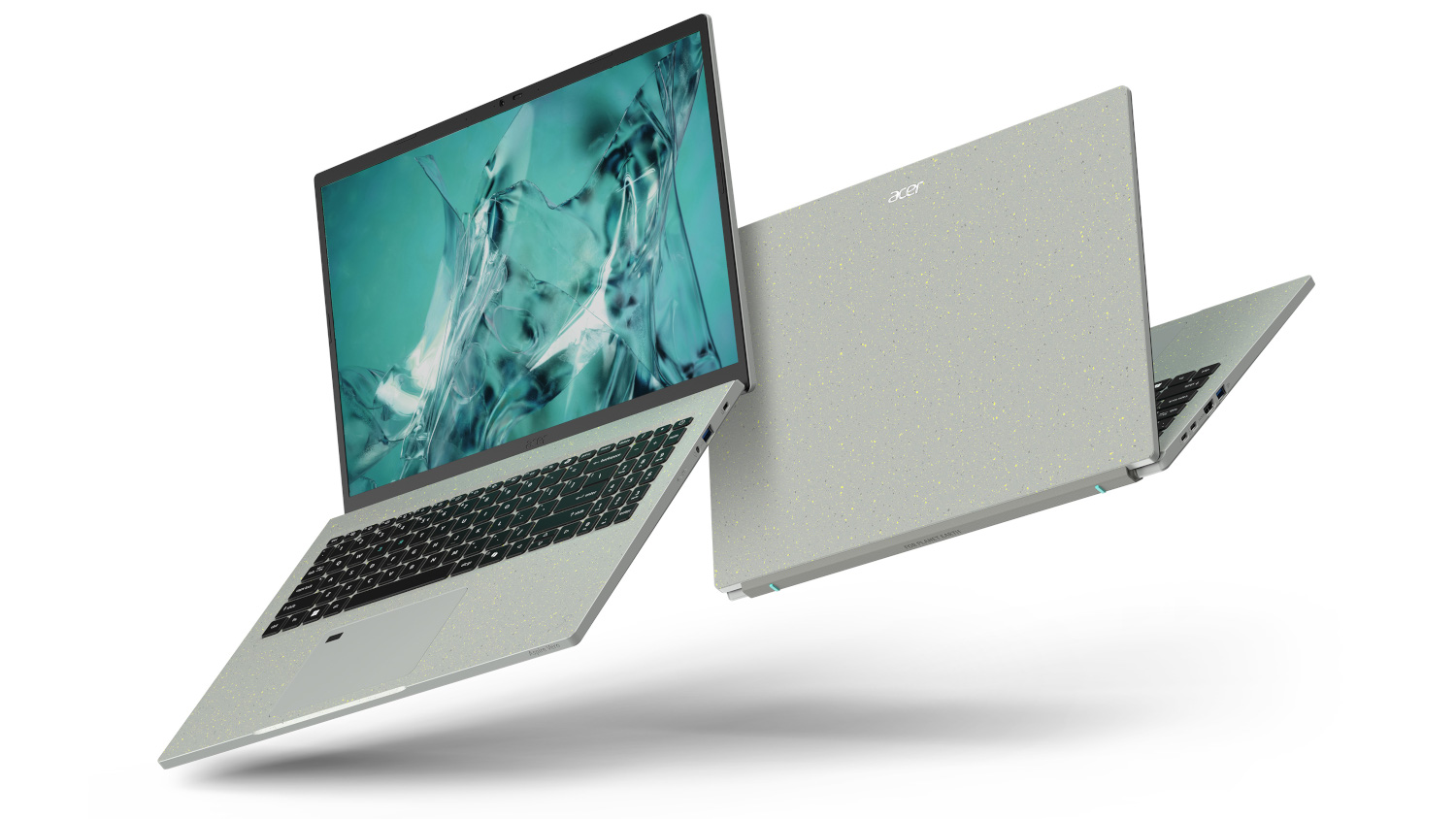
| Component | Specs | Price ($) | Pros | Cons |
|---|---|---|---|---|
| CPU | Intel i5-1235U | 550 | Good for coding, light multitasking | No dedicated GPU |
| RAM | 8GB DDR4 | Expandable | Minimum for heavy IDEs | |
| Storage | 512GB SSD | Fast boot and load times | None | |
| Display | 15.6" FHD | Decent clarity for coding | Average color accuracy | |
| GPU | Integrated Intel Iris Xe | Enough for light graphics | Cannot run high-end ML tasks |
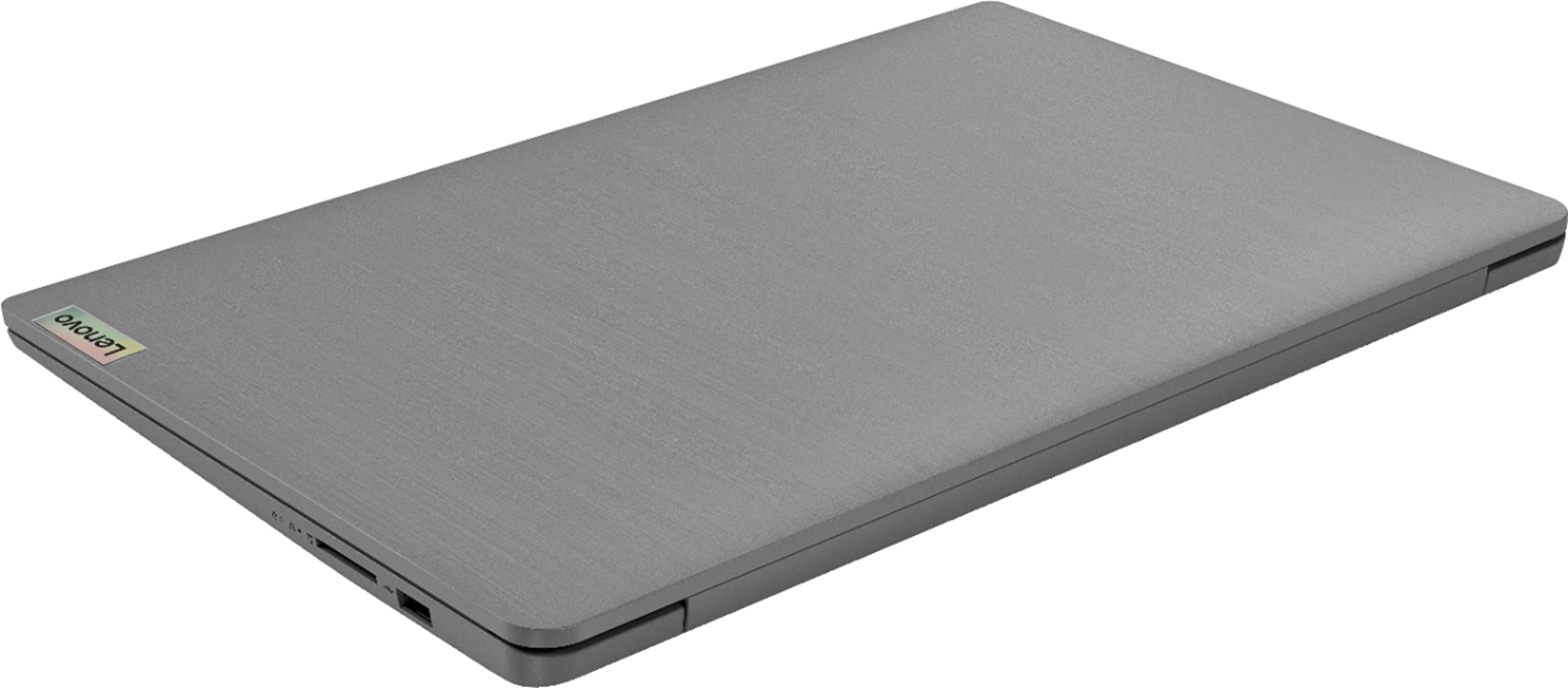
2. Lenovo IdeaPad 3
| Component | Specs | Price ($) | Pros | Cons |
|---|---|---|---|---|
| CPU | AMD Ryzen 5 5500U | 500 | Efficient multi-core performance | Integrated graphics only |
| RAM | 8GB DDR4 | Upgradeable | Heavy apps may lag | |
| Storage | 256GB SSD | Fast boot | Small for larger projects | |
| Display | 14" FHD | Compact, good clarity | Small screen for multitasking | |
| GPU | Integrated AMD Radeon | Basic graphical tasks supported | Cannot handle gaming/ML |
3.2 Mid-Range Laptops (Students & Developers)
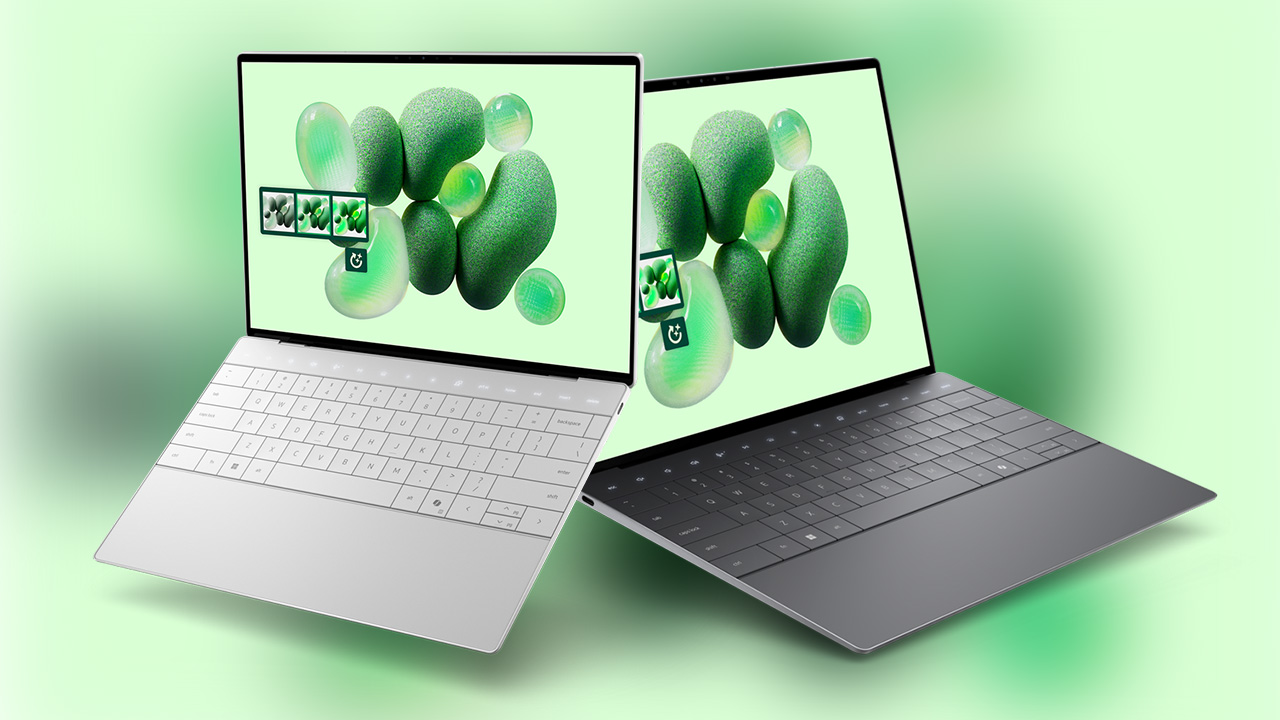
1. Dell XPS 13
| Component | Specs | Price ($) | Pros | Cons |
|---|---|---|---|---|
| CPU | Intel i7-1255U | 1200 | Excellent performance for coding & multitasking | Integrated GPU only |
| RAM | 16GB DDR4 | Good for IDEs and multitasking | Not enough for heavy ML tasks | |
| Storage | 512GB NVMe SSD | Fast boot & load times | May need external storage for large projects | |
| Display | 13.4" FHD+ | Excellent brightness & color | Small screen for multiple windows | |
| GPU | Intel Iris Xe | Decent for light graphics | Cannot handle gaming/ML |
3.3 Premium Laptops (High-End, Heavy Development & AI/ML)
1. Apple MacBook Pro 16" M3 Max

| Component | Specs | Price ($) | Pros | Cons |
|---|---|---|---|---|
| CPU | M3 Max 12-Core | 3500 | Blazing performance, ideal for heavy IDEs & AI/ML | Very expensive |
| RAM | 64GB Unified Memory | Handles massive datasets & multitasking | Cannot upgrade later | |
| Storage | 2TB NVMe SSD | Ample space for projects | Expensive upgrade | |
| Display | 16" Liquid Retina XDR | Best for designers & developers | None | |
| GPU | M3 Max Integrated GPU | Excellent for ML & rendering | Cannot upgrade |
4. Types of Laptops – Student Guide (No Confusion)
Market me bohot saare laptops hote hain jin ke naam fancy hote hain: Gaming, Business, Ultrabook, Student Edition… Lekin asal me har laptop ka kaam alag hota hai.
4.1 Student / Budget Laptops
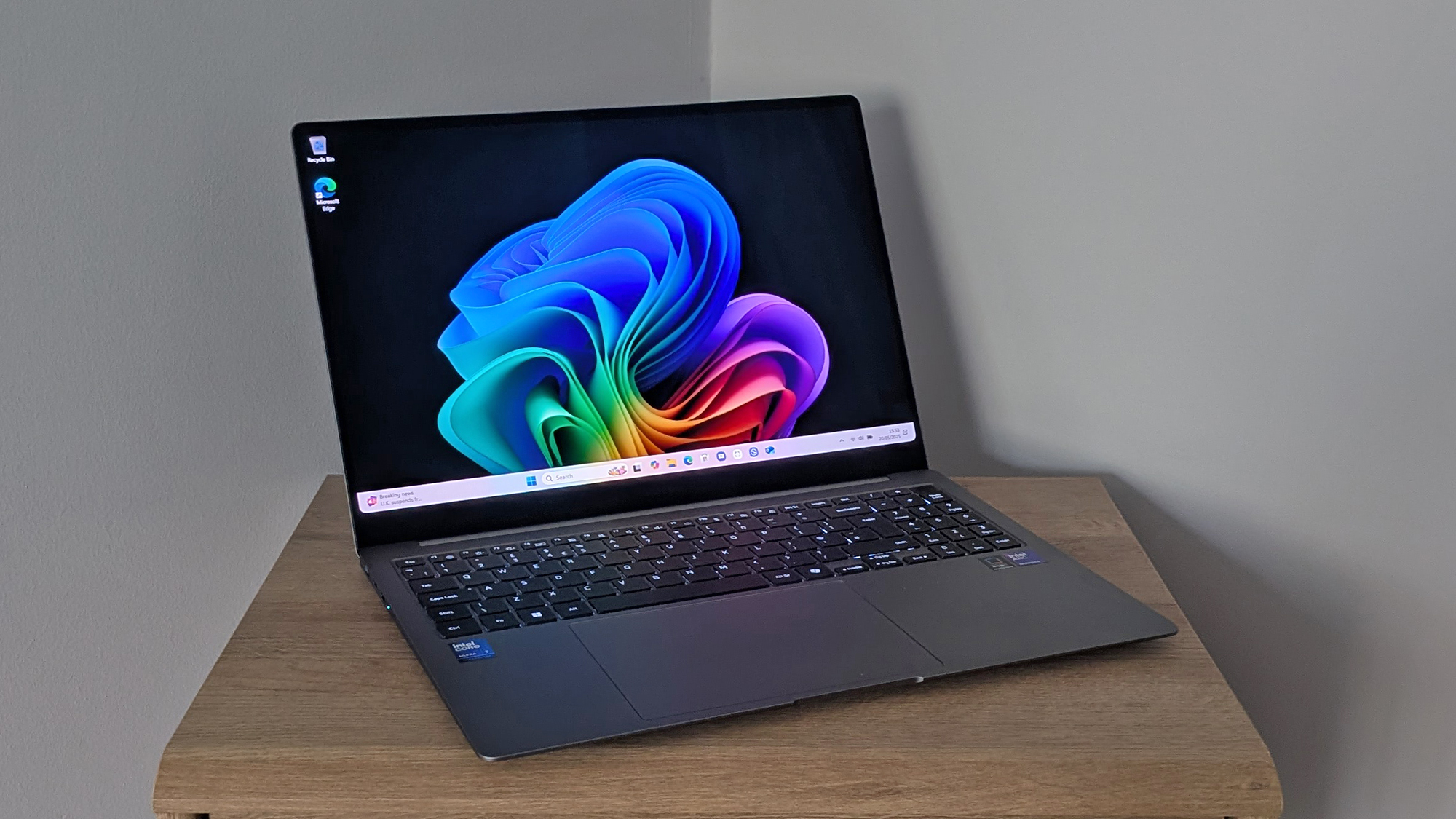
Student laptops wo hote hain jo:
- ✔ Affordable price range me hote hain
- ✔ Programming, online classes, assignments ke liye kaafi hote hain
- ❌ Heavy gaming ya video editing ke liye nahi hote
| Feature | Recommended |
|---|---|
| Processor | Intel i5 / Ryzen 5 |
| RAM | 16GB |
| Storage | 512GB NVMe SSD |
| GPU | Integrated |
| Price Range | Medium / Affordable |
Best For: CS, IT, Web Development, Python, C++
4.2 Business Laptops

Business laptops zyada:
- ✔ Strong build quality
- ✔ Long battery life
- ✔ Keyboard comfortable hota hai
| Example Models | Why Good? |
|---|---|
| Lenovo ThinkPad | Best keyboard, durability |
| Dell Latitude | Reliable, professional |
| HP EliteBook | Lightweight, premium |
⚠ Gaming GPU usually nahi hota, isliye gaming ke liye nahi.
4.3 Gaming Laptops (Students Beware)
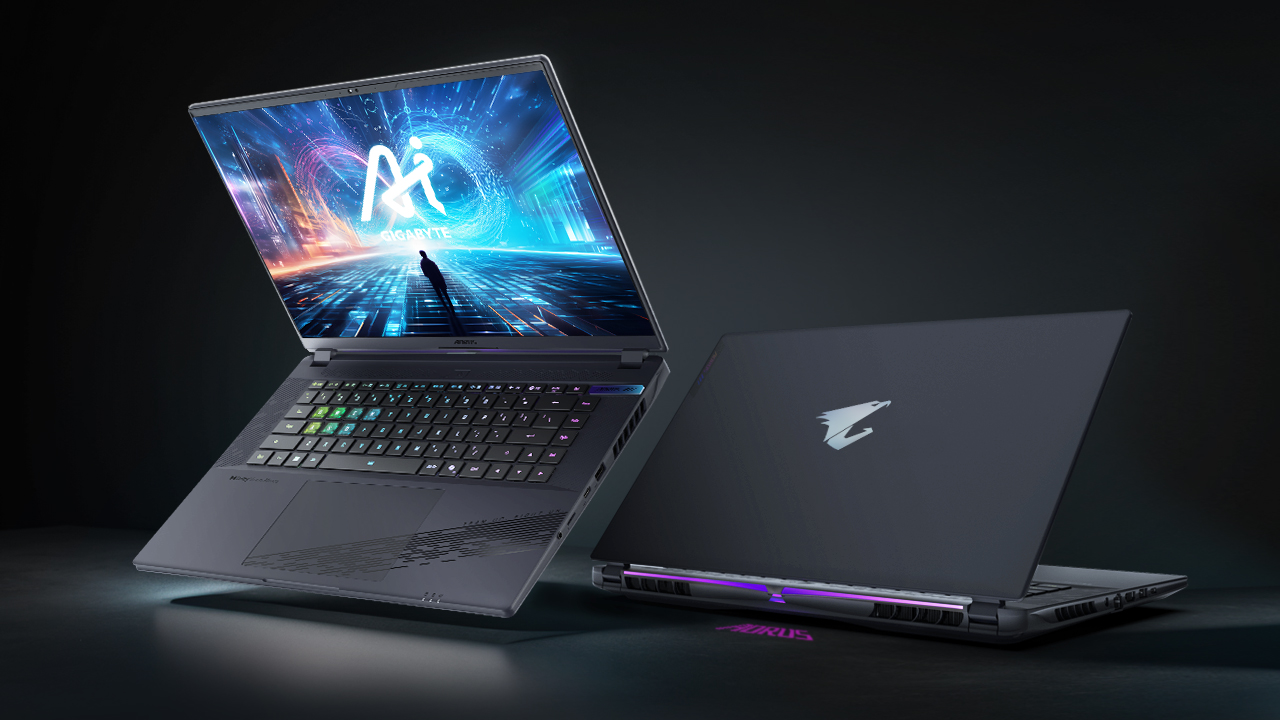
Gaming laptops dekhne me powerful lagte hain, lekin students ke liye hamesha best choice nahi hotay.
- ✔ Powerful CPU & GPU
- ❌ Heavy weight
- ❌ Battery bohot kam
- ❌ Mehngay hotay hain
| GPU | Use Case |
|---|---|
| RTX 3050 | Entry ML / Gaming |
| RTX 4060 | AI / Deep Learning |
| RTX 4070+ | Professional Work |
✔ Sirf tab lo agar AI, ML, Gaming, 3D work karna ho.
4.4 MacBooks – Reality Check
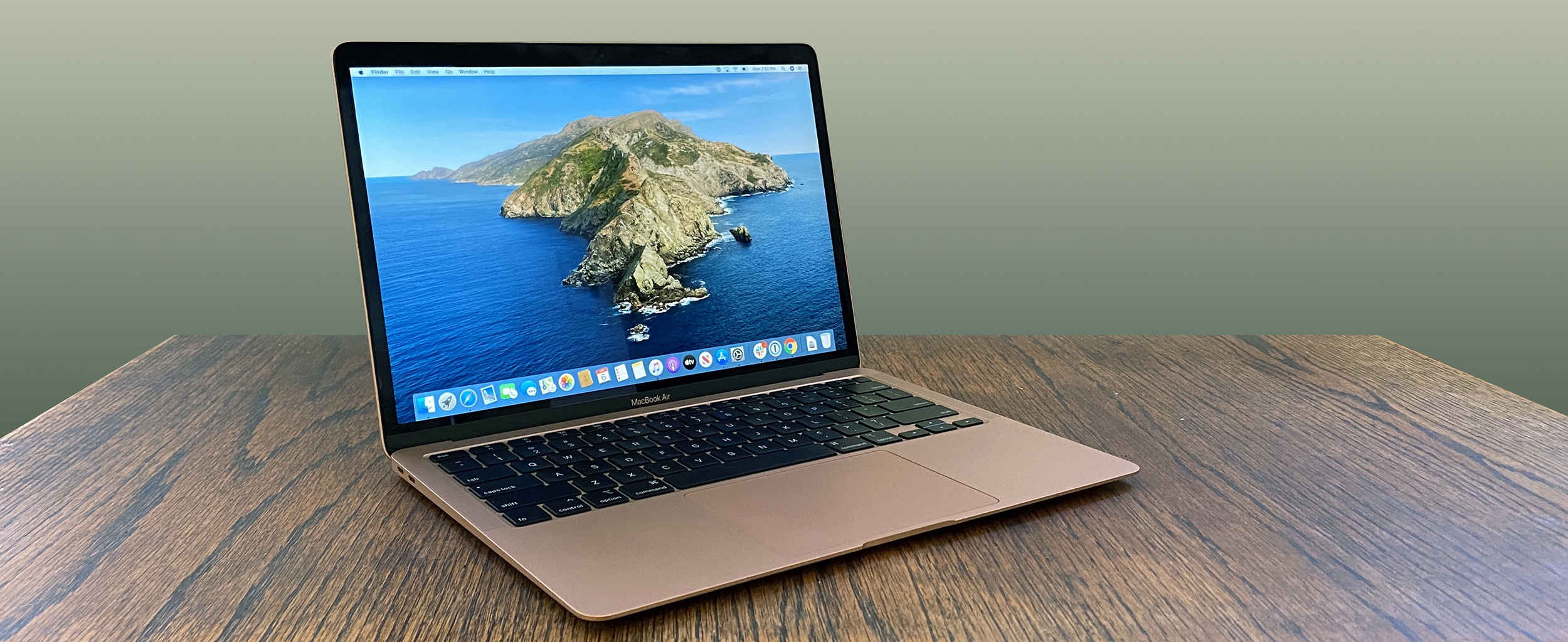
MacBooks powerful hotay hain lekin har student ke liye nahi.
| Pros | Cons |
|---|---|
| Fast M-Series chip | Very expensive |
| Battery amazing | No upgrades |
| Unix-based OS | Software compatibility |
✔ Best for iOS dev, web dev
❌ Not ideal for low-budget students
5. Desktop Computers – Students ke liye Complete Guide
Zyada students sirf laptops ke peechay bhaagte hain, lekin desktop PCs kai cases me zyada powerful, saste aur future-proof hotay hain. Is section me desktop ka har aspect detail me samjhaya gaya hai.
5.1 Laptop vs Desktop – Reality Check
| Point | Laptop | Desktop |
|---|---|---|
| Price | Mehnga | Sasta |
| Performance | Limited | High |
| Upgrade | ❌ No | ✅ Yes |
| Portability | ✅ Yes | ❌ No |
Agar tum ghar ya hostel me zyada kaam karte ho, to desktop ek smart decision hota hai.
5.2 Student Desktop PC (Best Value)
| Component | Recommended |
|---|---|
| CPU | Ryzen 5 / Intel i5 |
| RAM | 16GB |
| Storage | 512GB NVMe SSD |
| GPU | Integrated |
| Monitor | 24″ IPS |
- ✔ Programming, assignments, freelancing
- ✔ Cheapest powerful option
5.3 Programming Desktop (Serious Coders)
| Component | Recommended |
|---|---|
| CPU | Ryzen 7 / Intel i7 |
| RAM | 32GB |
| Storage | 1TB NVMe |
| GPU | Optional |
Ye setup un students ke liye hai jo:
- ✔ Heavy projects karte hain
- ✔ Multiple IDEs chalate hain
- ✔ Freelancing ya job oriented hain
5.4 Monitor Selection – Students Ignore This (Big Mistake)
| Feature | Best Choice |
|---|---|
| Size | 24″ – 27″ |
| Resolution | Full HD / QHD |
| Panel | IPS |
| Refresh Rate | 60–75Hz |
Achha monitor productivity ko 2x kar deta hai.
6. Laptop & PC Price Guide for Students (Reality Check)
Zyada students ko yeh hi nahi pata hota ke: is price me kya milna chahiye aur kya nahi. Is section ka maqsad yeh hai ke tum shopkeeper aur online scams se bach sako.
6.1 Low Budget Students (Entry Level)
| Budget Range | Kya Expect Karein |
|---|---|
| Low | Basic coding, browsing |
- ✔ Intel i5 (old gen) / Ryzen 5
- ✔ 8GB RAM (upgradeable)
- ✔ 256–512GB SSD
- ❌ Gaming / Editing mat socho
⚠ Agar koi bole "gaming laptop" is range me, samajh jao jhoot hai.
6.2 Mid Range Budget (Best for Most Students)
| Budget | Best Value |
|---|---|
| Mid Range | Perfect for programming |
- ✔ Intel i5 / Ryzen 5 latest gen
- ✔ 16GB RAM
- ✔ 512GB NVMe SSD
- ✔ IPS Full HD display
💡 Ye range majority CS & IT students ke liye perfect hai.
6.3 Common Student Scams (Beware)
- ❌ "12GB RAM" (8+4 trick)
- ❌ HDD ko SSD kehna
- ❌ GPU sticker fake
- ❌ Copy Windows license
7. Laptop Buying Checklist – Students ke liye Step-by-Step Guide
Ye checklist follow kar lo, phir koi shopkeeper, salesman, ya online ad tumhein confuse nahi kar sakta. Is section ko save bhi kar sakte ho.
7.1 Step 1: Apna Use Clear Karo
- ✔ Programming / Coding
- ✔ Online classes
- ✔ Freelancing
- ✔ AI / ML / Gaming (agar hai)
Golden rule: Agar tumhein pata hi nahi ke GPU kyun chahiye, toh tumhein GPU chahiye hi nahi.
7.2 Step 2: Processor Verify Karo
| Check | Yes / No |
|---|---|
| i5 / Ryzen 5 ya better | ✅ |
| Latest generation | ✅ |
| Celeron / Pentium | ❌ |
CPU generation zaroor check karo, sirf i5 likha hona kaafi nahi.
7.3 Step 3: RAM Configuration Check
- ✔ Minimum 16GB RAM
- ✔ Dual channel ho to best
- ✔ Upgrade slot available ho
Single channel RAM performance ko almost 30% tak slow kar deti hai.
7.4 Final Checklist (Tick Before Buying)
- CPU verified
- RAM upgradeable
- SSD NVMe
- IPS display
- Genuine Windows
- Warranty confirmed
Agar sab tick ho gaya, toh samjho tumne right laptop choose kar liya.
8. Operating Systems – Windows vs Linux vs macOS (Student Guide)
Laptop ya PC ka hardware jitna bhi acha ho, agar operating system tumhari needs ke mutabiq nahi, toh experience bekaar ho jata hai. Is section me har OS ko student angle se explain kiya gaya hai.
8.1 Windows – Most Common, Most Confused
| Pros | Cons |
|---|---|
| Easy to use | Updates slow kar dete hain |
| All software supported | Viruses ka risk |
| Games support | Needs good hardware |
- ✔ Best for beginners
- ✔ C, C++, Java, Python sab chal jata hai
- ❌ Pirated Windows avoid karo
Recommendation: Windows 11 (Genuine) with minimum 16GB RAM
8.2 Linux – Programmer's Favourite
| Pros | Cons |
|---|---|
| Fast & lightweight | Learning curve |
| No viruses | Some software missing |
| Best for servers | Games support limited |
Popular Linux distros for students:
- Ubuntu
- Linux Mint
- Pop!_OS
✔ Best for backend dev, web dev, cybersecurity
⚠ Dual boot ya WSL recommended for beginners
8.3 Which OS Should YOU Choose?
| Student Type | Best OS |
|---|---|
| Beginner | Windows |
| Programming Student | Windows + WSL |
| Backend / DevOps | Linux |
| iOS Developer | macOS |
OS change ho sakta hai, lekin hardware ghalat le liya to regret hota hai.
9. Programming Languages & Hardware Requirements (Student Guide)
Har programming language ke liye same laptop ya PC zaroori nahi hota. Students aksar ya to underpowered system le lete hain ya phir unnecessary mehnga. Is section me har major language ke liye clear hardware guide di gayi hai.
9.1 C / C++ Programming
| Component | Recommended |
|---|---|
| CPU | Intel i5 / Ryzen 5 |
| RAM | 8–16GB |
| Storage | 256GB+ SSD |
| GPU | Not required |
C/C++ lightweight languages hain, isliye normal student laptop pe bhi smooth chalte hain.
9.2 Java Programming
| Requirement | Details |
|---|---|
| CPU | i5 / Ryzen 5 |
| RAM | 16GB (recommended) |
| IDE | IntelliJ / Eclipse |
Java IDEs RAM heavy hoti hain, isliye 16GB RAM strongly recommended hai.
9.3 Python Programming
| Use | Hardware Need |
|---|---|
| Basic Python | Any i5 system |
| Data Science | 16–32GB RAM |
| Machine Learning | GPU recommended |
Basic Python ke liye GPU ki zaroorat nahi, lekin ML ke liye difference padta hai.
9.4 Quick Summary Table
| Field | Minimum | Ideal |
|---|---|---|
| Web / C++ | i5 + 8GB | i5 + 16GB |
| Java / Android | i5 + 16GB | i7 + 32GB |
| AI / ML | i7 + GPU | Ryzen 9 + RTX |
Language ke mutabiq hardware choose karo, warna paisay waste ho jate hain.
10. Common Student Mistakes While Buying & Using Laptop / PC
Zyada tar students same mistakes repeat karte hain, jis wajah se unka paisa bhi waste hota hai aur learning experience bhi kharab hota hai. Is section me woh mistakes detail me explain ki gayi hain jo almost har student karta hai.
10.1 Sirf Price Dekh Kar Laptop Lena
Students aksar sirf yeh dekhte hain ke laptop sasta hai, lekin specs check nahi karte. Result: system slow, hang, frustration.
- ❌ Low RAM (4GB)
- ❌ HDD instead of SSD
- ❌ Old generation processor
✔ Hamesha specs priority do, price baad me.
10.2 Future Needs Ignore Karna
Aaj basic kaam ke liye laptop lena, lekin kal programming, design, ya AI start karna – yeh sab se bari ghalti hai.
| Today Need | Future Problem |
|---|---|
| Browsing | Programming slow |
| Word/Excel | No upgrade option |
✔ At least 3–4 saal ka soch kar buy karo.
10.3 GPU Ka Ghalat Matlab Samajhna
Har student samajhta hai GPU = powerful laptop. Reality: GPU sirf specific kaamon ke liye hota hai.
- ✔ Gaming
- ✔ Video editing
- ✔ AI / ML
❌ Normal coding ke liye GPU zaroori nahi.
10.4 Final Student Advice
Laptop ya PC sirf ek device nahi, yeh tumhara learning partner hota hai. Achi choice tumhara future asaan bana deti hai.
✔ Research first
✔ Buy once, buy right
✔ Upgrade-friendly system choose karo
11. Budget-wise Laptop & PC Recommendations for Students
Har student ka budget alag hota hai. Ye section low, mid aur high budget options ke liye guide provide karta hai.
11.1 Low Budget (PKR 50,000 – 80,000 / $200–$400)
- CPU: Intel i3 / Ryzen 3
- RAM: 8GB
- Storage: 256GB SSD
- Display: 14–15 inch, Full HD
- Use Case: Web development, basic programming, online classes
Low budget me zyada expect mat karo, lekin start karne ke liye kaafi hai.
11.2 Mid Budget (PKR 80,000 – 150,000 / $400–$800)
- CPU: Intel i5 / Ryzen 5 (latest gen)
- RAM: 16GB
- Storage: 512GB NVMe SSD
- GPU: Optional (for light gaming / ML)
- Use Case: Programming, Java, Python, Web Dev, Light AI
Mid budget me long-term usage aur performance dono milte hain.
11.3 Quick Comparison Table
| Budget | CPU | RAM | Storage | GPU | Use Case |
|---|---|---|---|---|---|
| Low | i3 / Ryzen 3 | 8GB | 256GB SSD | Integrated | Basic programming |
| Mid | i5 / Ryzen 5 | 16GB | 512GB SSD | Optional | Web dev, Java, Python |
| High | i7/i9 / Ryzen 7/9 / M2/M3 | 32GB+ | 1TB+ | NVIDIA RTX 3060+ | AI/ML, heavy IDEs, mobile dev |
12. Peripherals & Accessories Every Student Needs
Laptop ya PC ke saath sahi accessories hona equally important hai. Ye section student-friendly peripherals aur unke uses explain karta hai.
12.1 External Keyboard & Mouse
- Mechanical keyboard comfortable hota hai long coding sessions ke liye
- Wireless mouse convenience aur portability ke liye
- Budget: 2–5k PKR
12.2 External Monitor
- 24–27 inch Full HD / 2K recommended
- Multiple screens productivity increase karte hain
- Adjustable height aur blue-light filter useful
12.3 Other Useful Accessories
- USB hub for additional ports
- HDMI / DisplayPort cables
- Power bank for laptop (if supported)
- Screen cleaning kit
Accessories correct ho toh productivity aur comfort dono increase hote hain.
13. Software & IDE Recommendations for Students
Laptop ya PC ke saath sahi software aur IDEs hona bhi zaroori hai. Ye section language-specific aur general productivity software cover karta hai.
13.1 C / C++ IDEs
- Code::Blocks – Lightweight, easy for beginners
- Dev C++ – Minimalistic and beginner-friendly
- Visual Studio Community – Heavy but feature-rich
Students ko lightweight IDEs se start karna chahiye aur phir advance IDE adopt karna chahiye.
13.2 Java IDEs
- IntelliJ IDEA Community Edition – Best for beginners and advanced
- Eclipse – Popular in universities
- NetBeans – Lightweight alternative
Java IDEs heavy hoti hain, RAM 16GB recommend hai.
13.3 Web Development Software
- VS Code – HTML, CSS, JS support
- Sublime Text – Lightweight
- Brackets – Beginner-friendly
Live server extension aur browser debugging essential hai.
14. Laptop Maintenance Tips for Students
Laptop ya PC ko maintain karna bohot zaroori hai taake long-term performance aur life ensure ho. Ye section daily, weekly aur monthly maintenance tips cover karta hai.
14.1 Daily Maintenance
- Shut down laptop properly instead of just closing the lid
- Keep keyboard and screen clean using microfiber cloth
- Check battery percentage and avoid deep discharge regularly
- Close unnecessary programs to avoid RAM overload
14.2 Weekly Maintenance
- Update OS and software regularly
- Run antivirus scans to avoid malware
- Clear temporary files and cache
- Check for pending driver updates (graphics, Wi-Fi, chipset)
14.3 Monthly Maintenance
- Check disk health (SSD/HDD diagnostics)
- Defragment HDD (if applicable)
- Clean cooling vents using compressed air
- Backup important data externally or on cloud
14.4 Battery Care
- Avoid 0–100% cycles daily, keep between 20–80%
- Use original charger
- Calibrate battery once every 3 months
- Remove battery (if removable) during long-term storage
Laptop ko maintain karne se not only performance improve hoti hai, balki future upgrades aur resale value bhi better hoti hai.
15. Upgrading & Future Proofing Your Laptop / PC
Students aur developers ke liye future-proofing aur upgrade options samajhna zaroori hai. Ye section aapko guide karega kaise laptop/PC ko long-term use ke liye tayyar karein.
15.1 RAM Upgrades
- Minimum 16GB recommend for programming & multitasking
- Check if RAM is soldered or upgradable
- DDR4 vs DDR5 – DDR5 offers better speed & future compatibility
- Adding dual-channel RAM improves performance significantly
15.2 Storage Upgrades
- Start with 512GB SSD minimum
- Add NVMe SSD or external SSD for extra storage
- HDD for archival backups
- Cloud storage for redundancy (Google Drive, OneDrive, etc.)
15.3 General Future Proofing Tips
- Choose modular laptops if possible
- Keep track of OS and driver updates
- Invest in higher-end specs if budget allows
- Regular maintenance extends lifespan
- Plan upgrades for RAM/Storage after 2–3 years
Future proofing ensures ki laptop ya PC 3–5 saal tak smoothly chal sake aur students ko bar bar naya purchase na karna pade.
16. Gaming vs Development Laptops
Students aur developers ko samajhna chahiye ki gaming laptops aur development laptops me differences kya hain. Ye section clear comparison aur recommendations provide karta hai.
16.1 CPU & GPU Differences
- Gaming laptops: High-end GPU, moderate CPU, focus on FPS
- Development laptops: Balanced CPU & GPU, high core-count CPU preferred
- Programming tasks rarely need top-tier GPU unless AI/ML or graphics-heavy projects
- Gaming laptop GPU is usually overkill for basic dev tasks
16.2 Battery & Portability
- Gaming laptops: Heavy, large batteries, short portability
- Development laptops: Lightweight, long battery life, easy to carry
- Students traveling to university should prefer lightweight and longer battery laptops
16.3 Final Recommendation
Agar aapka focus purely programming, coding, web dev, or AI/ML hai:
- Invest in high-core CPU, 16–32GB RAM, NVMe SSD
- Integrated or mid-range GPU is enough
Agar aapka focus gaming + occasional development:
- High-end GPU is justified, ensure CPU cores sufficient for dev
- Consider hybrid laptops carefully
17. Buying Online vs Offline: Student Guide
Laptop ya PC purchase karte waqt students confuse ho jate hain: Online ya Offline? Ye section pros, cons aur tips explain karta hai.
17.1 Buying Online
- Pros:
- Wider selection of laptops and brands
- Price comparison easy across multiple platforms
- Home delivery, discounts & cashback
- Cons:
- Cannot physically test keyboard, trackpad, or build quality
- Delivery delays possible
- Warranty claims may require courier or extra steps
Recommended Platforms: Amazon, Daraz, Newegg, official brand websites
17.2 Buying Offline
- Pros:
- Hands-on testing of keyboard, screen, and ports
- Instant purchase and setup
- Local store warranty support is faster
- Cons:
- Limited selection compared to online
- Pricing may be slightly higher
- Store-specific offers limited
Recommended Stores: Local authorized dealers, big electronics chains
17.3 Student Tips for Buying
- Check online reviews & ratings even if buying offline
- Compare price across multiple platforms before final purchase
- Look for student discounts, EMI options & seasonal offers
- Always check warranty, return policy, and authenticity of product
- Keep receipts and invoice safe for future claims
Decision should balance budget, convenience, warranty, and personal preference.
18. Final Summary & Student Checklist
Yeh final section students ke liye complete checklist aur summary provide karta hai, taake laptop ya PC purchase aur setup smooth ho.
18.1 Summary
- Performance: High-core CPU, 16–32GB RAM, NVMe SSD minimum
- Display: FHD or QHD, color accurate, eye-friendly
- GPU: Integrated sufficient for web/dev; dedicated needed for AI/ML or gaming
- Battery & Portability: Long battery life, lightweight for university use
- Peripherals: Keyboard, mouse, monitor, headphones, storage & stand
- Software: IDEs, productivity tools, version control & collaboration apps
- Maintenance: Daily, weekly, monthly tips + ergonomics & battery care
- Future Proofing: RAM, storage, CPU/GPU, ports & connectivity
- Purchase Method: Online vs Offline, warranty & student discounts
18.2 Optimization & Benchmarking Code Example
# Python Multi-core Benchmark Example
import time, math, concurrent.futures
def compute_task(iterations):
    result = 0
    for i in range(iterations):
        result += math.sqrt(i)*math.log(i+1)
    return result
if __name__=='__main__':
    start = time.time()
    threads = 8
    iterations = 10_000_000
    with concurrent.futures.ThreadPoolExecutor(max_workers=threads) as executor:
        futures = [executor.submit(compute_task, iterations) for _ in range(threads)]
        concurrent.futures.wait(futures)
    end = time.time()
    print(f'Total Time: {end-start} seconds')
18.3 Student Laptop/PC Checklist
| Feature | Recommended | Checked |
|---|---|---|
| CPU | i7 / Ryzen 7 / M3 Pro/Max | |
| RAM | 16–32GB DDR4/DDR5 | |
| Storage | 512GB–2TB NVMe SSD | |
| GPU | Integrated / RTX 3050–4070+ | |
| Display | FHD / QHD, color-accurate | |
| Battery Life | 6+ hours | |
| Warranty | 1–3 years warranty | |
| Maintenance | Daily/Weekly/Monthly checks |